| HOME > MISC > LINUX > ACTIVEX |
|---|
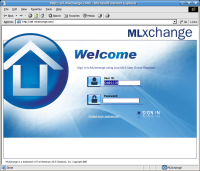
I'm trying to get as much working as possible as quickly as possible. Your continued feedback below would be greatly appreciated. I'm trying to use Linux as much as possible and there are only a few applications for which I have no choice but to use Windows for. There is one stubborn Real Estate related website I use called MLXchange that for some mysterious reason was written to require ActiveX controls. I recently ran across the IEs4Linux project which allows you to install various versions of Internet Explorer very easily on most popular Linux distributions.
However MLXchange still didn't work. After some experiementation
and Googling I finally figured out the secrets. I assume this should also allow
most other websites that require ActiveX to also work. Please let
me know in the comments section at the bottom if this does or does not
work with other sites.
Briefly, IEs4Linux requires wine and cabextract which on a yum based system is very easy to install:
# yum -y install wine cabextractThe rest of these instructions are straight from my F7 Tips paget download the latest script, extract and run it. The example below is based on version 2.0.5, just adjust the version number as necessary. Please note that you will want to install and run this as your own user, NOT as root. I used the defaults except that I installed all the versions of IE. I do some web development and I always find myself needing to resolve some goofy incompatibilites with older versions of IE.
$ gtar xzvf ies4linux-2.0.5.tar.gz
$ cd ies4linux-2.0.5
$ ./ies4linux
Welcome, greg! I'm IEs4Linux.
I can install IE 6, 5.5 and 5.0 for you easily and quickly.
You are just four 'enter's away from your IEs.

I'll ask you some questions now. Just answer y or n (default answer is the bold one)

IE 6 will be installed automatically.
Do you want to install IE 5.5 SP2 too? [ y / n ] y
        .
        .
        .
IEs 4 Linux installations finished!

To run your IEs, type:
 ie6
 ie55
 ie5
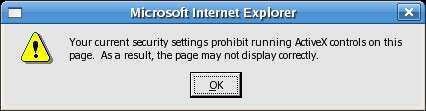
The default security settings will not allow ActiveX controls to be run. This is true even when running on a real Windows system.
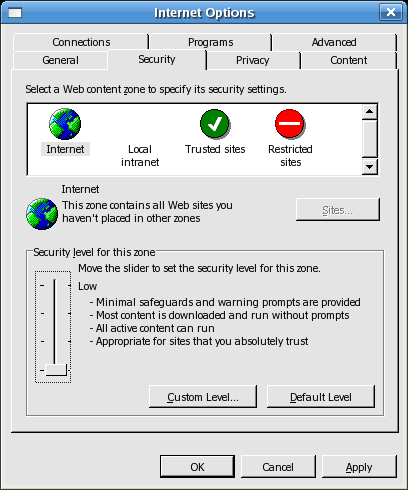
Just open Tools -> Internet Options -> Security and just set the security level to Low like shown below:
If you try to use MLXchange now you'll see an error like this generated by IE 6.0:
Error message:
err:module:import_dll Library MFC42.DLL (which is needed by L"C:\\windows\\system32\\GeacView.dll") not found
err:module:import_dll Library GeacView.dll (which is needed by L"C:\\windows\\Downloaded Program Files\\GeacRevw.ocx") not found
err:module:import_dll Library MFC42.DLL (which is needed by L"C:\\windows\\Downloaded Program Files\\GeacRevw.ocx") not found
What you need to do is find a real Windows XP installation and grab the MFC42.DLL file in C:\Windows\System\ and copy it to your Linux system into the directory for the version of Internet Explorer you will be using.
$ cp mfc42.dll ~/.ies4linux/ie6/drive_c/windows/system
The final step is to inform the special WINE installation that you will be installing native DLLs. Just create the file ~/.ies4linux/ie6/config and put the following lines into the file:
; default for all other dlls
"*" = "builtin, native"
That's it! Now just start ie6 and use the ActiveX website. You're now just that much closer to ditching Windows for good.
|
Donate via Paypal:
All these guides are done on my personal time as a community service.
Please consider a donation to allow me to allocate the time to put
these together: |
| The comments section below is only for comments, suggestions or corrections for this guide only. Please do not use this for general Fedora/Linux support. If you do require support for something other than what's described here I recommend using Fedora Forums. |